Task 1 – Access Terminal Server from external network
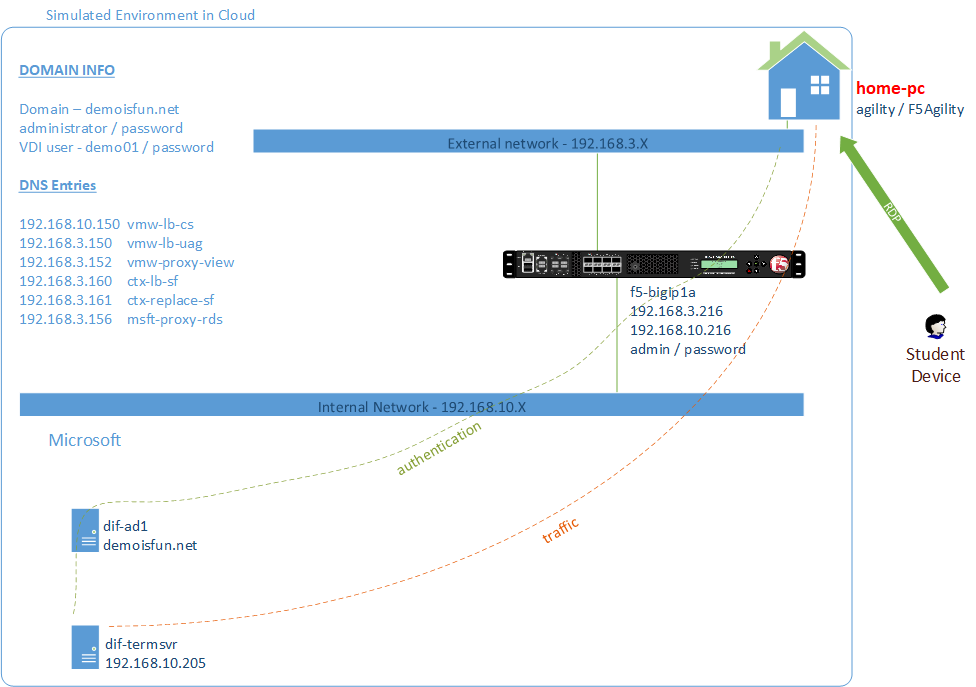
BIG-IP proxy RDP connection
Create and bind NTLM Machine Account
From “corporate-pc”
Open IE to access F5 Admin GUI at,
https://f5-bigip1a.demoisfun.net- Username:
admin - Password:
password
- Username:
Create on BIG-IP and bind to an NTLM Machine Account. On the left menu,
Click Access -> Authentication -> NTLM -> Machine Account
Click the Create button on the upper right corner
Name AD1-f5-bigip1aMachine Account Name f5-bigip1aDomain FQDN demoisfun.netDomain Controller FQDN dif-ad1.demoisfun.netAdmin User administratorPassword password
Click the JOIN button to create the machine account
Deploy iApp
Create a new Application Service.
iApps -> Application Services -> Applications
Click the Create button
In the Name field, type in
lab4-rdsIn the Template pulldown, select
f5.microsoft_rds_remote_access.v1.0.3Welcome to the iApp template for Remote Desktop Gateway Please review Template Options Do you want to deploy BIG-IP APM as an RDP proxy? Yes, deploy BIG-IP Access Policy… Access Policy Manager Do you want to create…or use an existing AAA server? AD1 Which NTLM machine account…for Kerberos delegation? AD1-f5-bigip1a SSL Encryption Which SSL certificate do you want to use? wild.demoisfun.net.crtWhich SSL private key do you want to use? wild.demoisfun.net.keyVirtual Servers and Pools What IP address do you want to use for the virtual server(s)? 192.168.3.156How would you like to secure your hosts? Allow any host Click Finished button
Test the RDS proxy functionality using RDS Client
From “home-pc”
Launch RDS client (on desktop)
Click Show Options pulldown
Click Advanced tab
Click Settings button
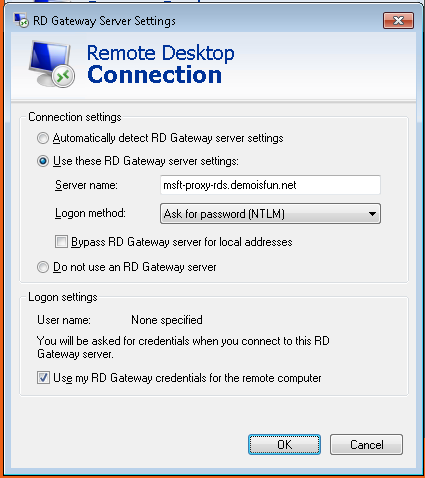
In “RDS Gateway…” window,
Select “Use these RD Gateway…” radio button
In Server name field, type in
msft-proxy-rds.demoisfun.net. Note this address resolves to the address 192.168.3.156 which was configured in the iAppSelect “Use my RD Gateway credential…” checkbox
Click OK
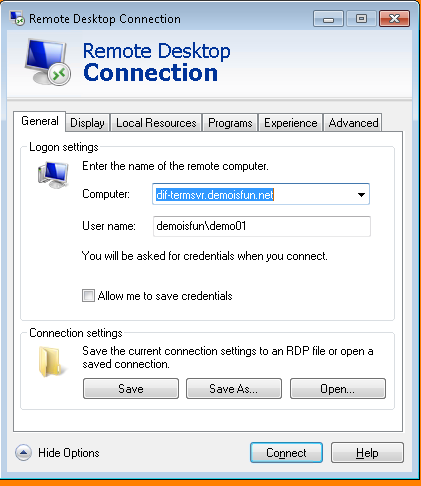
Under “General” tab, in “Computer” field, type in the name of the host you want to RDP to which is
dif-termsvr.demoisfun.netIn User name field, type in
demoisfun\demo01Click Save
Click Connect
When prompted for credentials
- Username:
demo01 - Password:
password
- Username:
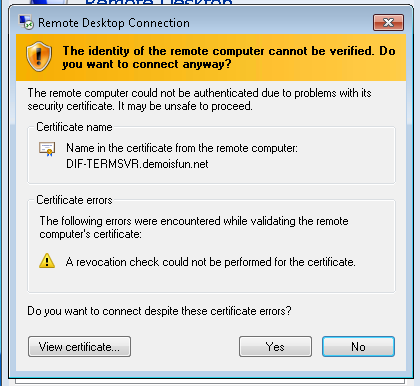
Click Yes to the Certificate warning
You are connected to dif-termsvr.demoisfun.net server
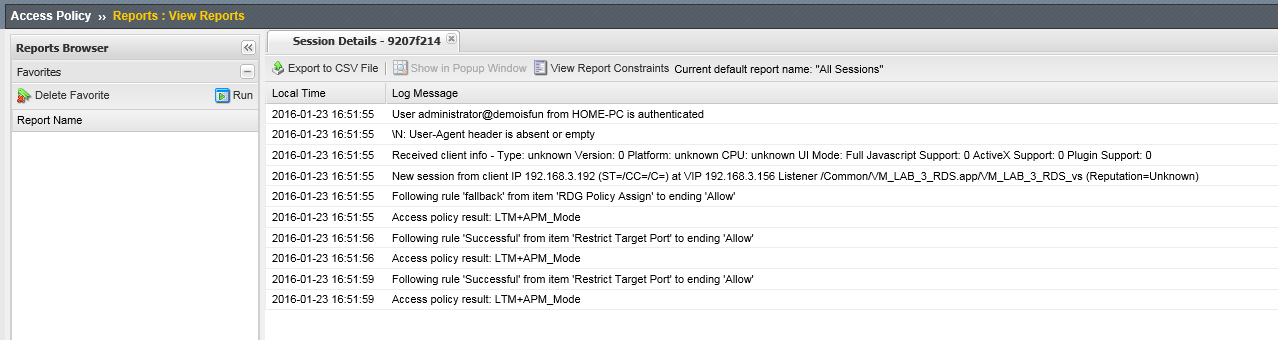
You can verify this connection through the BIG-IP. From “corporate-pc”, open IE to Connect to BIG-IP GUI
On the left side menu, click Access -> Overview -> Active Sessions
Click on the session to view details
Log off RDS session by clicking Start -> Logoff